
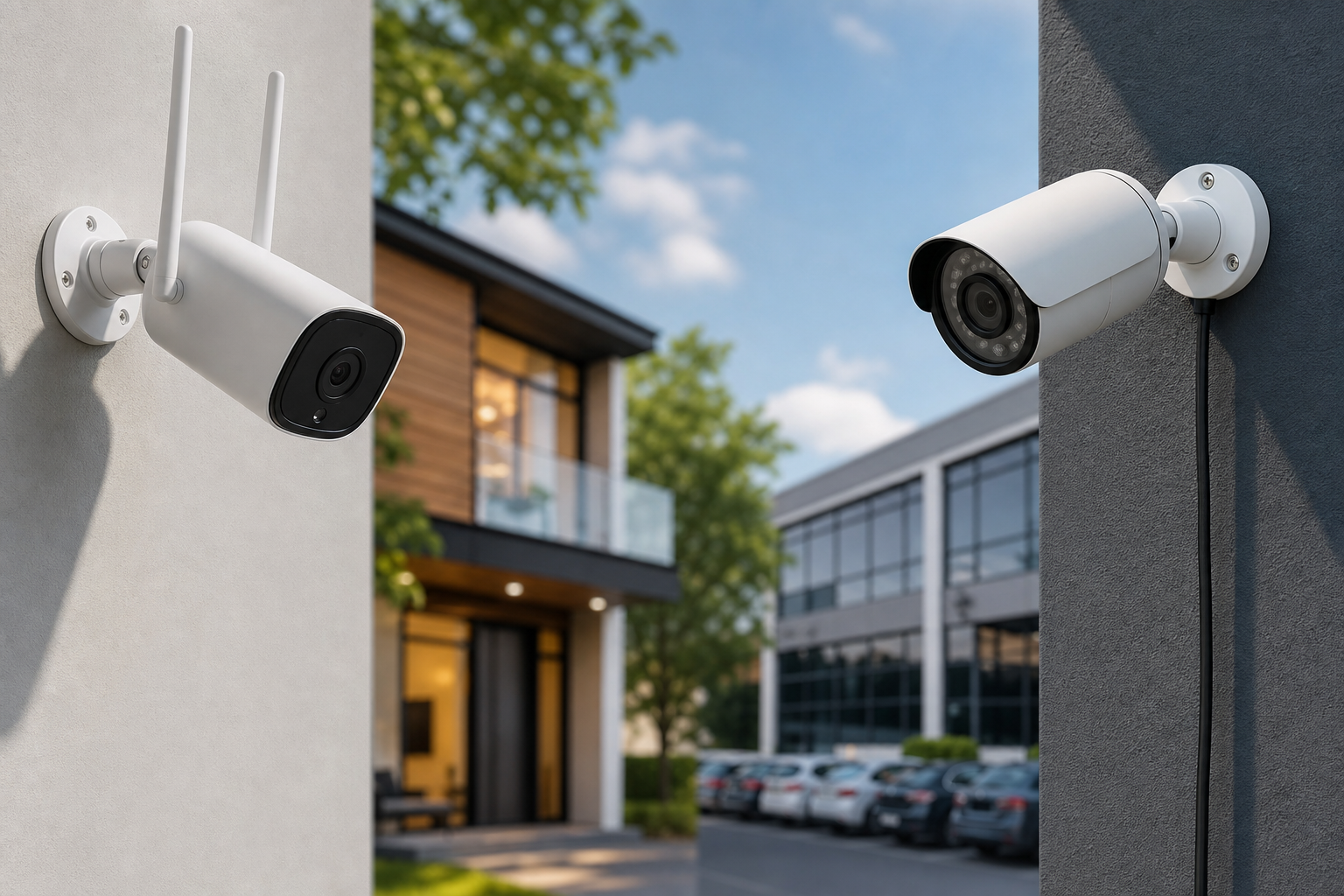
Wireless vs wired cameras: which suits your home or business?
What this comparison covers and the seven decision criteria
This article compares wireless vs wired cameras using seven buyer-focused criteria: installation complexity, upfront and long-term cost, power source and maintenance, reliability and uptime, video quality and latency, storage and retrieval options, and scalability and compatibility. Read the short glossary and the decision checklist first if you need a quick recommendation, or continue for a deeper technical view.
How we compare
Each criterion below explains the practical tradeoffs you will encounter during purchase, installation, and ownership. Examples reference common camera architectures such as battery or solar wireless models and wired IP systems using Power over Ethernet (PoE).
Quick glossary
- PoE: Power over Ethernet, supplies power and data on a single Ethernet cable for IP cameras.
- NVR: Network Video Recorder, local device that stores footage from IP cameras.
- WiFi versus radio frequency: many "wireless" cameras use your WiFi network, while other wireless CCTV options use dedicated RF to a base station.
Installation complexity and upfront cost
For many buyers the first question is how hard and expensive the install will be. Wireless models typically win on easy, cable-free installation, making them attractive for renters and hard-to-wire spots, as noted in AlarmSec's buying guide. Wired systems usually require cables, network termination and, for best reliability, professional routing of Ethernet or coaxial lines.
DIY versus professional install
- Wireless: Many consumer wireless cameras are plug-and-play. You can mount the unit and pair it to your account in minutes. This reduces labour costs for straightforward installs.
- Wired: A wired PoE IP system will usually require cable runs, patching, and a central NVR or switch. That often benefits from a professional installer who can test runs and terminate cables correctly.
Hidden costs to budget for
Wired installs can include conduit, wall repairs, trenching for exterior runs, and network upgrades. Wireless installs can incur costs for additional WiFi access points, solar panels, or periodic battery replacements. For national project work and on-site assessments, contact True Vision Surveillance to arrange a quote and survey.
Expected components
- Wireless system: camera, mount, optional solar panel or base station, cloud subscription in some models, and possibly stronger WiFi or a mesh device.
- Wired system: PoE cameras or analog cameras with power, network switch or DVR/NVR, cabling, and professional termination and testing tools.
Power source and routine maintenance
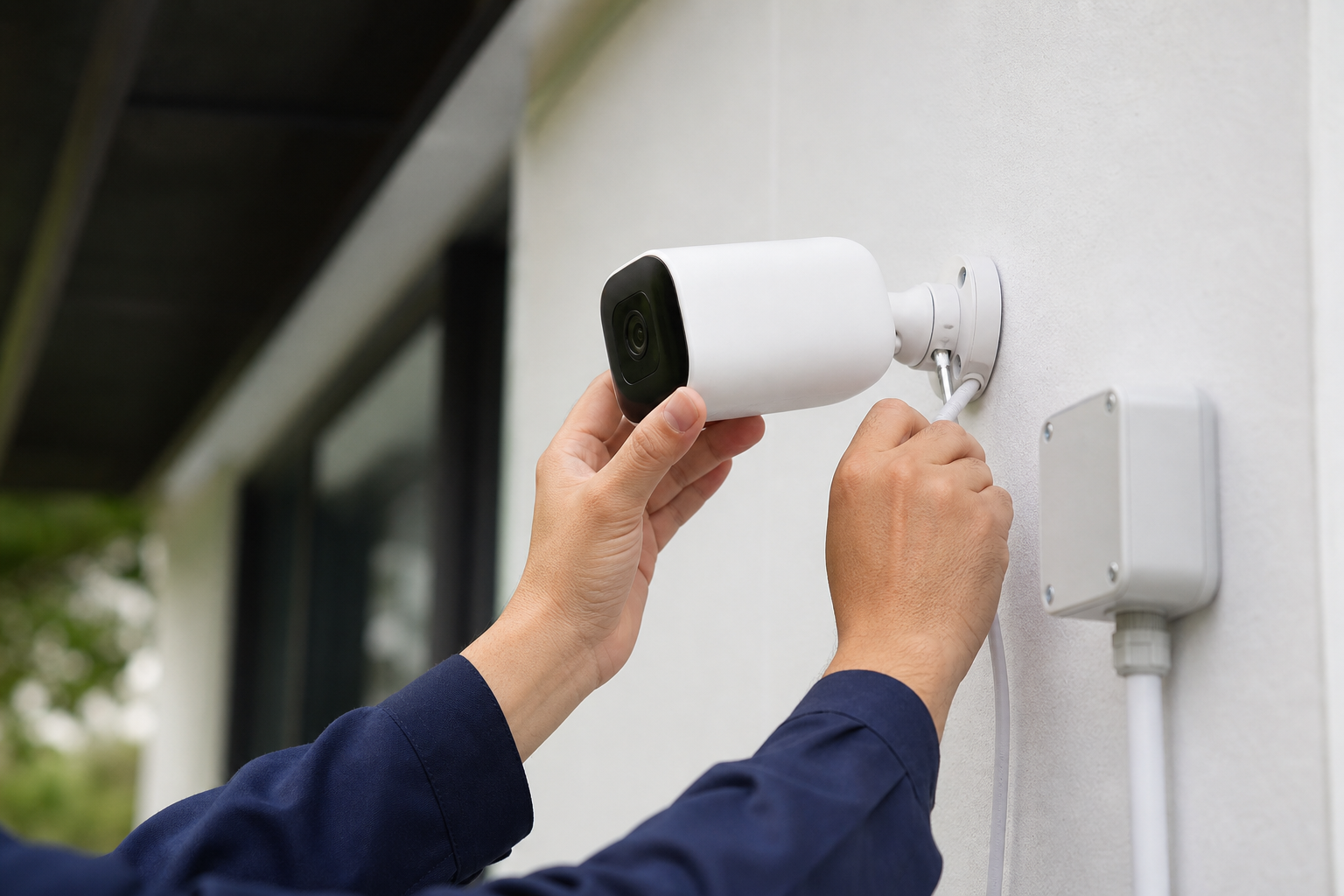
Power is one of the clearest practical differences between wireless vs wired cameras. Wireless units reduce cabling but often require batteries or solar. Wired cameras use mains power with PoE delivering continuous power and data on a single cable, which lowers day-to-day maintenance.
Battery and solar models: what to expect
Battery cameras are excellent when you cannot run cable. They need periodic charging or battery replacement, and solar panels can extend autonomy but depend on mounting angle and seasonal sunlight. AlarmSec highlights battery and solar models as ideal for cable-free installs, but they are not zero-maintenance.
PoE and hardwired power
PoE cameras receive reliable continuous power and usually require less routine attention. PoE simplifies wiring because one Ethernet cable provides power and data, but the cabling and central equipment mean a higher initial installation effort. For technical descriptions of cable-based power and data delivery, see Verkada's breakdown of wired camera architectures.
Seasonal maintenance in Canada
Cold weather reduces battery performance and heavy snow or ice can obscure lenses and solar panels. If you choose battery models for an exterior Canadian location, plan for more frequent maintenance or a solar supplement in the spring to fall months.
Reliability and network planning: what affects uptime
Reliability is heavily influenced by whether the camera depends on local cabling or wireless connectivity. Any camera that connects to the internet will only be as stable as that connection, so consider this when weighing wireless vs wired cameras for cloud features and remote access, as SafeWise explains.
WiFi range, interference and congestion
Wireless cameras using WiFi can be affected by range limits, competing networks, and interference from other devices. In suburban or multiunit settings with many networks, you may need WiFi upgrades or additional access points to support multiple cameras reliably.
Internet dependency for cloud features
Cloud recording, push notifications and remote access are convenient, but they require a reliable upstream connection. If internet outages are common at your site, design the system to preserve local storage or provide fallback recording so events are not lost during downtime.
When wired wins for reliability
Wired PoE systems tend to be more resilient in high-congestion or mission-critical environments because they do not rely on wireless spectrum for camera uplink. For commercial uses such as storefronts or warehouses where continuous recording is essential, wired infrastructure is often the safer choice.
Video quality, latency and storage options
Both wireless and wired cameras are available in high-resolution models, but the choice of codec, bitrate and link type affects live latency and retained footage. Wired PoE systems more easily support sustained high-bandwidth streams to local NVRs, while many wireless setups prioritise compressed clips to the cloud to reduce bandwidth.
Codec and frame-rate tradeoffs
Higher resolution and frame rates increase bandwidth needs. Over WiFi, sustained 4K at high frame rates can be challenging without robust network planning. Wired PoE lines are better suited to continuous high-bitrate recording if you need crisp footage for identification.
Local NVR versus cloud recording
Local NVRs store continuous footage on-site and are unaffected by internet outages for recording, though remote viewing will still require connectivity. Cloud-only models that upload clips require steady internet and may impose ongoing subscription fees. Decide which storage model you prefer before selecting cameras and ask installers about supported formats and retention policies.
What happens during an outage
Wired systems with local NVRs continue recording during internet outages. Wireless systems that depend solely on cloud storage may miss events if they cannot upload. Some hybrid wireless cameras save clips locally to onboard SD cards if the cloud is unreachable.
Which fits which situation: a concise decision checklist

Below are common scenarios and which option usually fits best. Use these prompts to accelerate decision-making.
Renters and short-term tenants
- Choose wireless: easy install, removable, minimal property alterations. Confirm landlord rules for exterior mounts where applicable.
Rural properties with limited internet
- Choose wired with local NVR or hybrid: wired PoE to local storage avoids depending on unreliable upstream internet. If trenching is impractical, a wireless model with local storage may still work but test coverage first.
Retail storefronts and small businesses
- Choose wired for continuous, low-latency recording and scalable multi-camera setups, unless the layout makes wiring impossible.
Multiunit buildings and property managers
- Choose wired where possible for shared systems, access control integration and centralised recording, but use wireless for short-term or tenant-specific needs.
New builds and rewires
- Choose wired: run conduit and PoE-ready cabling now to future-proof camera locations, then add wireless endpoints where cabling is not cost effective.
Questions to ask an installer and when to hire a professional
Even a mostly DIY buyer should ask these technical and contractual questions before signing a quote. If the installer will not perform a site survey or cannot answer the cable and power plan clearly, consider other providers.
- Will you perform a WiFi site survey and show documented signal strength where cameras will be placed? This matters for wireless reliability.
- Do you offer PoE cameras and NVR options, and which brands or codecs do you support? Ask for exact models and compatibility details.
- What category of Ethernet cable will you use and do you provide cable testing and certification on completion?
- How will the system behave during internet or power loss? Ask about local recording, UPS options and failover plans.
- What warranty and support terms are included, and do you offer maintenance plans for battery checks or snow clearing?
Decision criteria for hiring a pro
Hire a professional if you need permanent exterior cabling, have large multi-camera requirements, expect integration with access control, or want guaranteed uptime and a formal warranty. True Vision Surveillance provides national site assessments and can perform on-site surveys; request a consultation through our website or by phone at +1 (647) 526-2202.
Red flags from quotes
- No site visit before quoting a fixed price for wiring.
- Vague cable specs, unclear recording or retention policies.
- No written warranty or missing details on how outages are handled.
Canada-specific considerations and next steps
Canadian buyers should weigh rural internet variability, winter battery performance and landlord or strata permissions for permanent mounts. Battery models may require more frequent service in cold weather, and remote areas can make cloud-centric wireless solutions impractical without a reliable uplink, as AlarmSec notes for cable-free installs.
True Vision Surveillance operates nationally and can provide an on-site assessment or remote consultation to match a system to your property constraints. To request a site visit or a tailored quote visit True Vision Surveillance or call +1 (647) 526-2202.
FAQ
Are wireless cameras secure enough for my home and how do I improve their security?
Wireless cameras can be secure if you follow vendor best practices: change default passwords, use unique strong credentials, enable two-factor authentication where available, keep firmware up to date, and isolate camera devices on a guest or VLAN network. Always review a vendor's security documentation before purchase.
How can I tell if my home WiFi will support multiple wireless cameras?
Ask an installer for a WiFi site survey that measures signal strength and channel congestion at each proposed camera location. A survey reveals whether you need additional access points or a mesh system to maintain stable streams for several cameras.
Can I mix wired and wireless cameras on the same system and still use one recorder?
Yes. Hybrid deployments are common: wired PoE cameras connect to an NVR while wireless cameras either connect via a bridge or upload to the same management platform. Confirm compatibility and unified recording options with the installer.
How often will battery cameras need service in Canadian winters?
Battery life varies by model, temperature and usage. Plan for more frequent checks in winter and consider solar supplementation or hardwiring critical exterior cameras where possible to reduce downtime.
Will wired cameras keep recording if my internet goes down?
Yes, wired PoE cameras connected to a local NVR will continue to record locally during internet outages. Remote access and cloud uploads will be affected until the internet is restored.
Ready for a site-specific recommendation? Request an on-site assessment or a remote consultation with True Vision Surveillance.